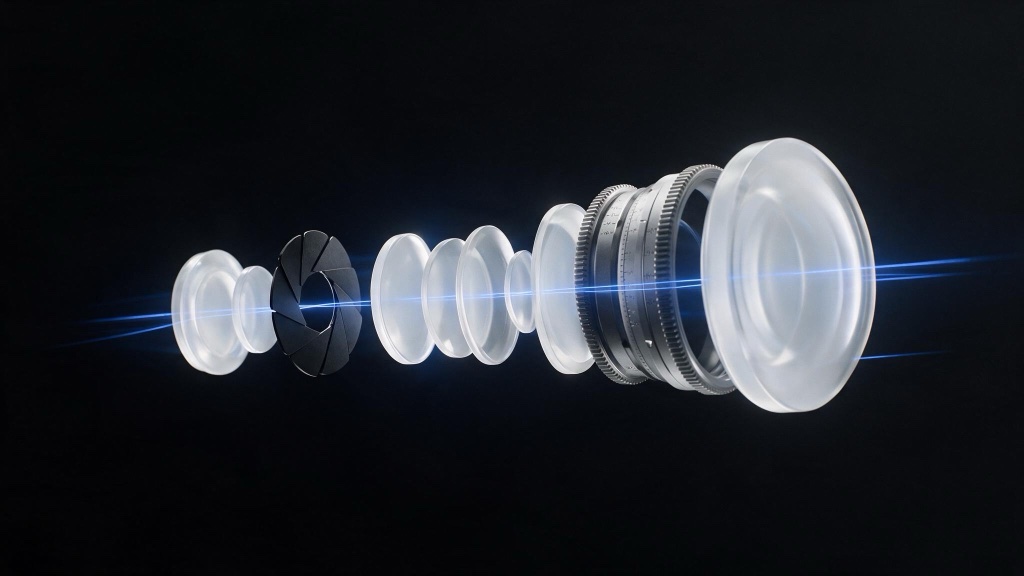
Cinematic AI video prompting means describing a shot the way a cinematographer would: subject and action, shot size, lens, camera movement, lighting direction, and palette, in that order. It does not mean adding the word “cinematic.” A model has no camera to infer a framing from a mood word and no gaffer to infer a light source from an adjective. Give it the same decisions a director gives a crew and the output reads as directed, not decorated.
The difference shows up in the footage. Creatives who get controllable results out of Runway or Kling learned the vocabulary of a film set. Creatives who spend an afternoon re-rolling the same prompt learned a mood board.
- Cinematic results come from cinematographic vocabulary, not adjective piles. “Cinematic, 8k, masterpiece” gives the model nothing to act on.
- Build the prompt in order: subject and action, shot size, lens, movement, lighting, palette, mood last.
- Change one variable per iteration. Contradictory or over-specified prompts fight the model instead of directing it.
- Movement language that names no physical rig tends to come back as a zoom.
What makes an AI video prompt cinematic?
A cinematic prompt names the mechanism, not the effect. “A woman walks through a rain-lit alley, cinematic, moody, 8k” describes a feeling and hopes the model shares your taste. “A woman walks through a rain-lit alley, medium shot, 35mm lens, shallow depth of field, slow dolly-in, key light from a neon sign camera-left, cool blue palette” describes a set of choices, each one a term the model can map to a visual pattern. The glossary has entries for most of these terms if you need a lookup mid-session, and the model comparison covers which models take this direction best.
Text-to-video and image-to-video models learn from captioned footage, and caption vocabulary borrows from the same place a shot list does: size, lens, movement, lighting setup. Terms like “low-angle,” “35mm,” and “dolly-in” sit beside a narrow band of images. “Cinematic” sits beside everything, because it gets tacked onto prompts regardless of what the frame shows. A word that correlates with nothing specific moves the output nowhere specific.
The anatomy of a cinematic prompt
A prompt is a sentence built from blocks in a fixed order, the order a shot gets built in: what happens, how it is framed, what lens sees it, how the camera moves, how it is lit, how it is graded. Mood comes last because mood is the result of the other 6 decisions.
What order should a video prompt follow?
Lead with subject and action: who or what, doing what, in a single clear clause. Then shot size, because framing decides what detail the rest of the prompt needs to specify. Then lens and depth of field, which set how the background behaves. Then camera movement. Then lighting: direction, quality, and a motivated source if one exists in the scene. Then palette and grade. Mood goes last, if you use it at all, because by that point the concrete choices have already produced one.
A prompt opening with “moody, atmospheric, cinematic” spends its strongest position on words with no fixed visual referent, and pushes the load-bearing nouns to the end. Put them first. The AI filmmaking guide walks through the same ordering at the level of a full shot list.
Shot size sets what everything else has to say
Shot size is the highest-leverage term in the anatomy. An extreme close-up needs no background note; an extreme wide shot needs no facial expression. Name the size first and you stop over-specifying the rest.
Why do adjectives like cinematic and 8k not work?
They are compliments, not instructions. “Cinematic” asks the model to reverse-engineer an aesthetic tradition from one word and guess which part you mean: framing, grade, pacing, or a specific era’s lens choices. “8k” names an output resolution the prompt does not set. “Masterpiece” asks for nothing describable at all.
Overuse compounds the problem. A term that appears in nearly every caption regardless of what the frame shows stops correlating with any visual outcome, so it stops moving the output. “Side-lit,” “dolly-in,” and “35mm” pair with a narrower, steadier set of visuals, so they pull harder. Swap the compliment for the decision and keep the sentence the same length.
How do I control camera movement in AI video?
Name one movement, using a term tied to a physical rig: static, pan, tilt, slow dolly-in, dolly-out, or handheld. Avoid vague verbs like “the camera moves toward” or “flies over,” which commonly come back as a zoom. A dolly-in that arrives as a zoom means the movement language was too loose to rule the zoom out.
Test movement terms one at a time rather than stacking “slow dolly-in with a subtle pan and a handheld feel” into one clause. 3 camera behaviors have to resolve into one continuous motion, and they tend to average into a soft, undirected drift. Isolate the term, confirm what it produces, then add a second movement if the shot needs one.
One variable at a time: a worked example
The fastest way to learn a model’s vocabulary is to hold everything constant and change one block. Here is the same scene taken through 3 passes.
- Flat. “A detective in a rain-lit alley, cinematic, moody, 8k, masterpiece.” No shot size, no lens, no movement, no light direction. The model guesses every one of them and averages toward generic footage.
- Partially directed. “A detective walks through a rain-lit alley at night, medium shot, slow dolly-in.” Better. Shot size and movement are decisions now, but lighting and palette are still undefined, so the grade will drift shot to shot.
- Directed. “A detective walks through a rain-lit alley at night, medium shot, 35mm, shallow depth of field, slow dolly-in, backlit by a neon sign, cool blue and amber palette.” Every block filled. The mood reads as tense without the word “tense” appearing anywhere.
Between passes, change only what you are testing. If the movement in pass 2 looks wrong, hold the shot size and lens and try a different movement term, not 3 new terms at once. That is the discipline of giving one note at a time to a working cinematographer: “same shot, hold the movement, warm the light,” not a rewritten brief. The shift toward conversational, stateful revision in newer video tools rewards that habit.
The courier shot, both ways
The anatomy diagram ends on a courier sentence. Here it is generated, beside the bare prompt most people write for the same shot. Both clips came out of Veo 3.1 Fast at the same settings, 6 seconds, no audio, one attempt each, so the prompt is the only variable.
Where directed prompts still fail
3 patterns account for most bad output once the anatomy is in place.
- Contradictory instructions. “Static shot, slow dolly-in” or “overcast, harsh sunlight” asks the model to satisfy 2 mutually exclusive terms. It picks one, blends them into something muddy, or oscillates across the clip. Read the prompt back as instructions to a crew. If a crew could not follow it, the model cannot either.
- Over-specification. Adjectives stacked across every block compete instead of compounding. 3 palette words or 2 lighting directions force an average, and the average is flatter and less committed than one clear choice per block.
- Movement words that map to zooms. The widest gap between what a prompt asks for and what a clip delivers. If no physical rig can perform the move you named, do not expect that rig’s motion.
Questions creatives ask
What makes an AI video prompt cinematic? It names the decisions a cinematographer names on set: shot size, lens, camera movement, lighting direction, palette. Mood words alone give the model nothing to render, because there is no camera to infer a framing from and no light source to infer a quality of light from.
What order should a video prompt follow? Subject and action, shot size, lens and depth of field, camera movement, lighting, palette and grade, mood last. That mirrors how a shot gets built: you block the action before you choose the frame, and you light before you grade. Opening with style words buries the concrete decisions at the end.
Why do adjectives like cinematic and 8k not work? They describe a quality you want, not a decision the model can act on. A model can point a camera, choose a focal length, or place a key light. It cannot look up what cinematic means and reverse-engineer the framing that would produce it. Overuse dilutes those words further, so they move the output less than low-angle, 35mm, or side-lit.
How do I control camera movement in AI video? Name one movement, using vocabulary tied to a physical rig: static, slow dolly-in, handheld, pan. Vague phrasing commonly comes back as a zoom, so the rig-specific term is what rules the zoom out. Test one movement word at a time to learn which term maps to which motion.
How many things should I change between prompt iterations? One. Swap the lens, or the light, or the movement, never all 3. Changing a single term isolates what caused the shift and keeps the parts that worked, the same way a director gives one note between takes.