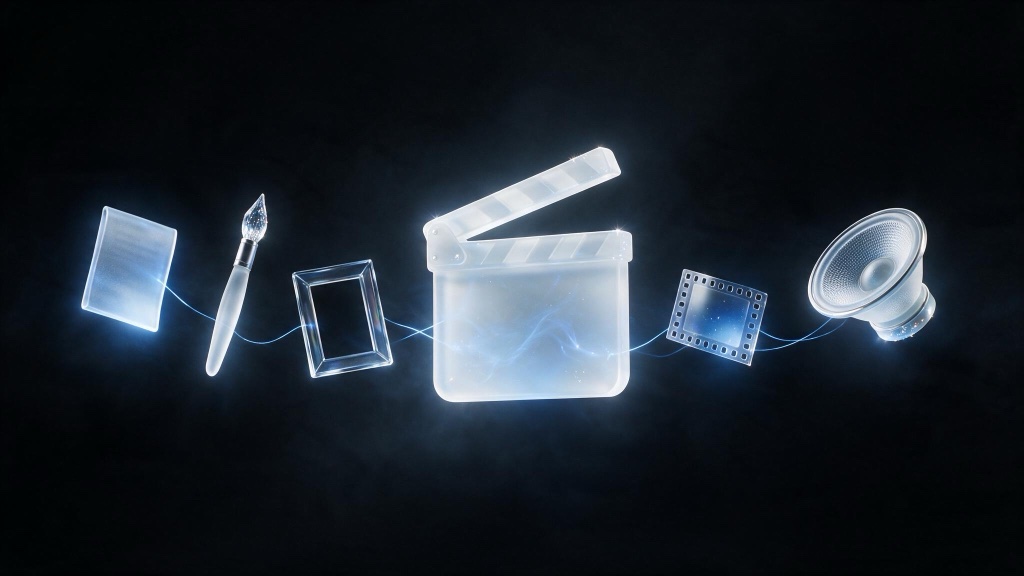
How to make an AI short film comes down to 7 stages, worked in order: script, look development, character and location sheets, stills as storyboards, video generation, voice and sound, then edit and grade. Most of the schedule belongs to the boards and the edit, not to video generation. Scope the first one small: 1 to 3 minutes, 20 to 40 shots, 1 or 2 characters. What follows is each stage, its failure mode, and the consistency discipline that holds a film together.
- 7 stages, in order: script, look development, character and location sheets, stills as storyboards, video generation, voice and sound, edit and grade.
- Iterate on boards, not on video. Stills are the cheap draft; video generation is the expensive one, so save it for shots you have already approved.
- Consistency is a discipline: locked style frames and character sheets are what every later prompt inherits.
- Keep a first film small: 1 to 3 minutes, 20 to 40 shots, 1 or 2 characters.
What are the steps to make an AI short film?
Each stage locks something the next one inherits. The script fixes the story before a generation is spent on it. Look development fixes the visual language before a shot is boarded. Character and location sheets fix identity before video renders a frame. Work out of order and the film comes apart in the edit.
- Script. Beats sized to single images, dialogue rationed.
- Look development. Style frames that fix palette, grain, era, and lens character.
- Character and location sheets. One face, one wardrobe, one build, referenced by every later prompt.
- Stills as storyboards. The whole film as one image per shot, approved before anything moves.
- Video generation. Animate the approved boards, conditioned on the board as first frame.
- Voice and sound. Performance, ambience, score, and the lip sync pass.
- Edit and grade. Cuts and one color pass that pull separate takes into one film.
How do you write a script for AI short films?
Write for what the medium does well. Short scenes, strong single images, and minimal continuous dialogue generate more reliably than long dialogue-driven scenes, because every cut to a new shot is a fresh generation with no memory of the last one. A scene built from a handful of striking images and short beats of action survives that constraint. A 2-minute unbroken conversation does not: lip sync and performance continuity are the weakest link in most pipelines today.
Structure the script in beats, not pages, and note the shot each beat implies as you write it. If a beat cannot be pictured as one strong image, cut or split it. Save spoken dialogue for a small number of worth-the-cost moments; everything else can carry story through action, reaction, and composition, the way a well-directed live-action short already does. The guide to what AI filmmaking actually is covers the shot-level thinking this stage depends on.
What is look development, and why does it come before boarding?
Look development is a small set of style frames that fix the palette, grain, era, and lens character of the film before a single shot is boarded. Every prompt downstream inherits them. Nail down what is expensive to change later: color temperature, contrast, grain or its absence, focal length and depth of field, and whether the world reads as shot on location or built.
Treat look development as cheap iteration, the same as the script. Generate a dozen candidate frames of one representative moment and pick the 2 or 3 that read as one coherent world. Once locked, those frames become the reference every character sheet, board, and video prompt points back to. The creative AI glossary defines look development, conditioning, and the rest of this piece’s vocabulary.
How do you keep characters and locations consistent across a whole film?
Character and location sheets are the consistency backbone of the pipeline. Holding one face, one wardrobe, and one build across dozens of separately generated shots is still the hardest problem in the medium, and it earns its own stage instead of patches shot by shot. Build a sheet per character with multiple angles and expressions, and a sheet per location with an establishing view plus the details a scene returns to. Every still and video prompt after this stage should reference these sheets, not re-describe the subject from scratch.
Skipping this stage is the most common reason an AI short reads as generated rather than directed: the protagonist’s face drifts shot to shot, or the kitchen from scene one does not match the kitchen from scene 4. For why that drift happens and what holds a character steady across a cut, see why AI keeps losing your character, and what holds it.
Should you storyboard with stills before generating video?
Yes, and this is the stage where most of the schedule should live. Generate the entire film as a still image per shot before animating anything. Stills are fast and cheap to regenerate, so this is where you fix composition, blocking, character look, and story sequencing, at a fraction of the cost of the same discovery in video. A still generator such as Midjourney suits the stage because iteration is nearly free.
Lay the boards out in sequence and read the film as a slideshow before moving on. If a shot does not work as a still, an animated version of the same composition will not save it. Get every board approved before a single one goes to video. This is the discipline that keeps the expensive stage short: you only generate video for shots you have already decided belong in the film.
One board, one shot: the handoff in practice
The 2 stages meet at a single file. A board gets regenerated at still-image cost until the frame is decided, and the approved still is then handed to the video model as the first frame, so the shot inherits the composition instead of arguing with it. Here is that handoff on one shot: the board, then the clip it produced.
Generated with Seedream 5.0. The prompt fixes framing, light, and palette, and nothing else:
Cinematic storyboard frame: an astronaut kneels at the edge of a tide pool on a dark alien beach, two moons low over the sea, silver wet sand, cold moonlight with a soft cyan cast, wide shot, film still, no text.
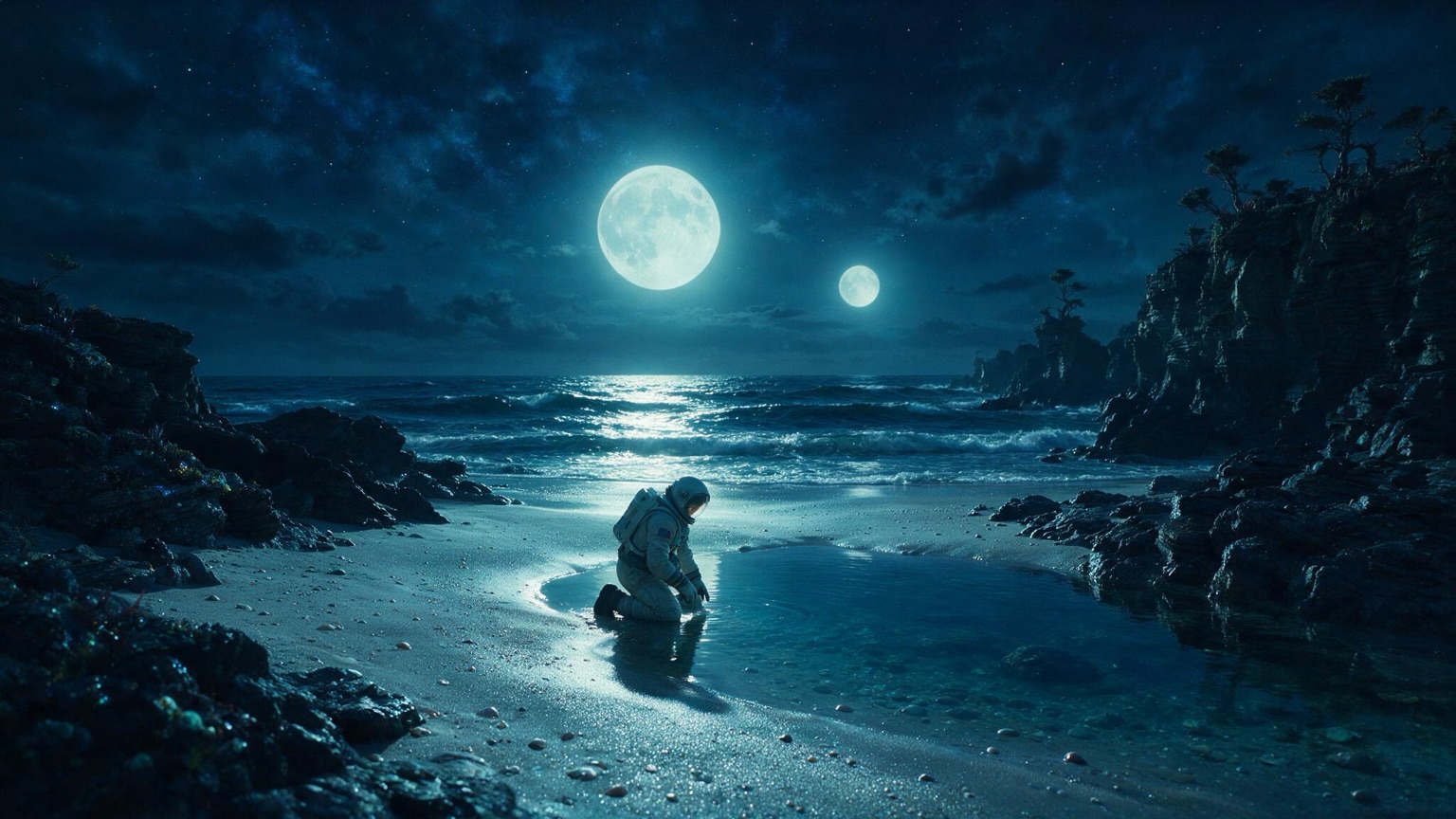
Seedance 2.0, image to video, with the board attached as the first frame. The prompt now carries only the action and the camera move:
She reaches into the tide pool; the water glows faintly where her glove touches it. Slow push-in, no cuts.
How does video generation work once the boards are locked?
Video generation animates the approved boards rather than starting from a blank prompt. Most current tools support first-frame conditioning: hand the model your approved still as the starting frame and describe the motion that should happen from there, which keeps the shot’s composition and character look anchored to the board you already signed off on. Runway is one of the video tools built around it; the model comparison and the platform comparison cover the current field, with rights and pricing.
Expect multiple takes per shot even with a locked board and a good prompt. Motion, timing, and small physical details are the least controllable part of current generation, so budget for regenerating a shot 3 or 4 times before one reads as usable, and shoot extra coverage per key scene so the edit has somewhere to go if a take never lands. The model landscape here keeps shifting; recent releases increasingly fold video generation into one system alongside stills and audio, covered in The standalone video model is transitional tech.
How do you handle voice, lip sync, and sound?
Record or generate voice tracks before or alongside video generation so the edit has performance to cut to and not picture alone. Where a character speaks on camera, lip sync is its own pass and its own point of failure: budget time to review it shot by shot rather than trust a first pass. ElevenLabs is a common choice for the voice tracks.
Ambience and score do more work than most first-time creators expect. A consistent room tone under a scene smooths over small visual inconsistencies between shots, and a score with clear intent covers pacing gaps a rougher cut would otherwise expose. Sound is cheap relative to video generation. Spend more time on it than feels necessary.
How do you edit and grade an AI short so it holds together?
Cut an AI short the way you would cut footage from a live set, not the way you would assemble a slideshow. Reactions, inserts, and L-cuts, where the audio from the next shot starts before the picture changes, hide the small sync and continuity sins that generated footage carries. A cutaway to a detail or a listener’s reaction is the tool that lets you skip past a take that never worked.
A unifying grade is the last and cheapest fix for the drift that happens between shots generated days or takes apart, when the same character or location comes back looking subtly different in color temperature, contrast, or grain. One color pass across the whole film pulls every shot toward a single look and hides model drift that would otherwise read as a continuity error. Do this last, after picture is locked, the same way it works on a live-action film.
How long should a first AI short film be?
1 to 3 minutes, built from 20 to 40 shots, with 1 or 2 characters. That scope is long enough to tell a story and short enough to finish. It keeps the character and location sheets and the shot count inside what a small team can manage. Every additional character multiplies the consistency work in stage 3; one location and one character keeps that cost small while you learn the rest of the pipeline.
Where does the time go in an AI film project?
Stills as storyboards and the edit take the largest share, because that is where decisions get made and remade. Video generation, the stage most new creators over-budget, moves fastest once the boards it animates are locked. Treat the split below as planning guidance, not a measurement.
How to cite: The Multimodal Society, “How to Make an AI Short Film, Step by Step,” August 2026. multimodalsociety.com/blog/ai-short-film-pipeline
Questions creatives ask
What are the steps to make an AI short film? 7 stages, worked in order: script, look development, character and location sheets, stills as storyboards, video generation, voice and sound, edit and grade. Each stage constrains the one after it, so skipping ahead to video before the boards are locked is the most common way a short collapses.
Should I storyboard with stills before generating video? Yes. Stills are cheap to regenerate and let you iterate on composition, character look, and story sequencing many times before spending a video generation on anything. Approve the boards first, then animate them; generating video to find your shots burns far more time and credits for the same discovery.
How long should a first AI short film be? 1 to 3 minutes, built from 20 to 40 shots, with 1 or 2 characters. That scope is long enough to tell a story and short enough to finish: it keeps the character and location sheets to a manageable set and the shot count inside what a small team can board, generate, and edit without losing consistency.
Where does the time go in an AI film project? Most of the schedule goes to stills as storyboards and to editing and grading, not to video generation itself. Boards are where you make and fix story and composition decisions cheaply; editing and grading are where cuts, reactions, and a unifying color pass cover for the seams between takes. Video generation is comparatively fast once the boards are locked.